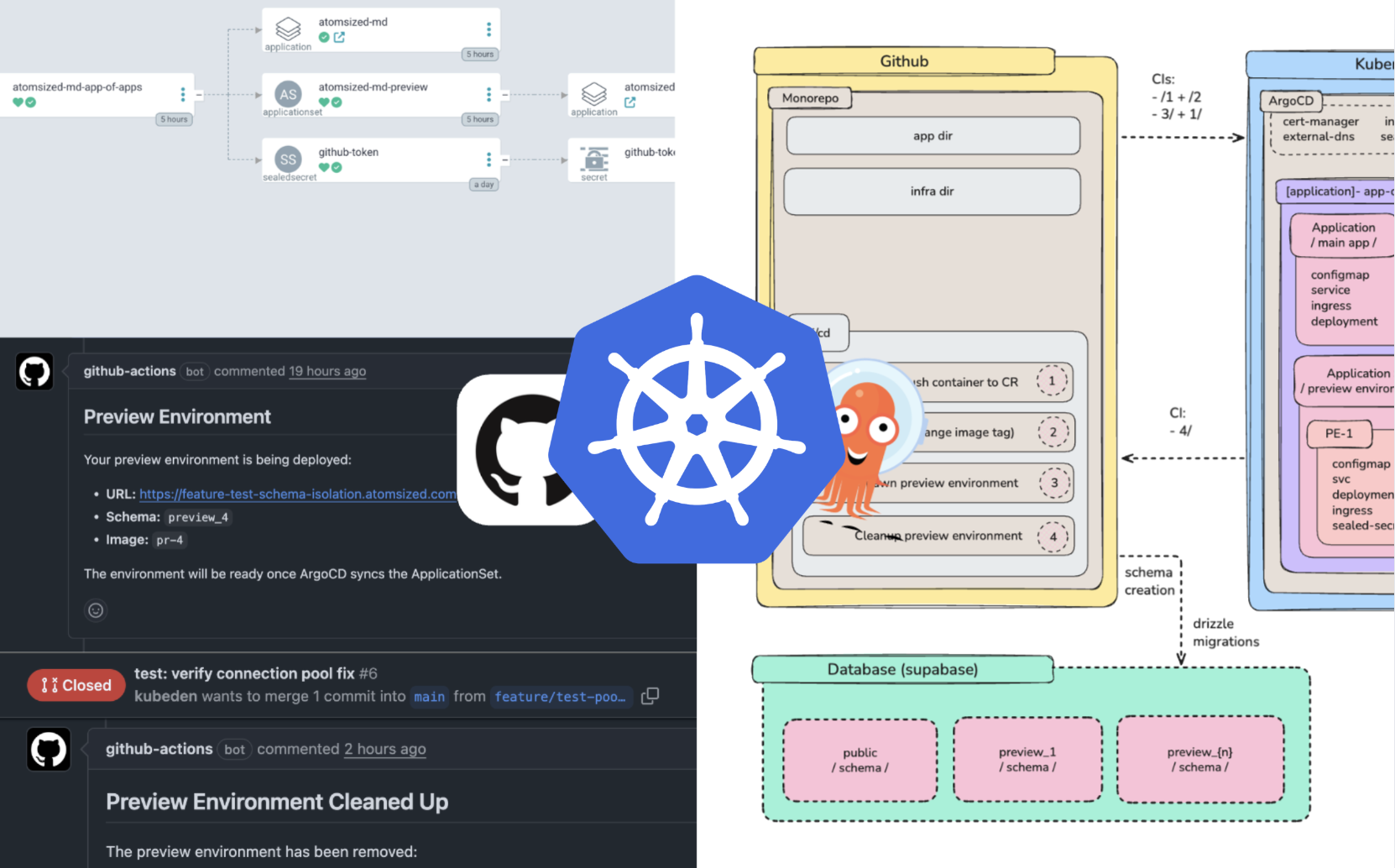
Working with LLMs, vibe coding in general, is a paradigm shift most of us has gotten used to nowadays. We vibe code something, push to a dev branch, and test our change. However… a rookie mistake many often do, is to allow themselves to get lost in the speed of it all. We get so excited of the results our little slot machine produces that we sometimes see our project going south a little and decide, “I’ll fix it later”. Until we don’t.
The concept of “preview environments” or “dynamic environments” is simple: Automate the provisioning of an isolated environment. And by environment, I mean everything: a database, a new container image, and whatever other functional block your app contains.
In this short practical post, I go through the configuration of a Kubernetes (ArgoCD) + Github preview environment setup.
The repository can be found: kubeden/preview-environments
If you want to test it yourself, fork the repository and open a PR to see it for yourself!
And here is a short video demo.
Practical
The techniques described below are not “nowadays novel” in the sense of “autonomous agents” novel, but they are an incredible addition to any production setup. In fact, these techniques are the very heart of what GitOps is!
Architecture & directory structure
Here is the architecture for our system.
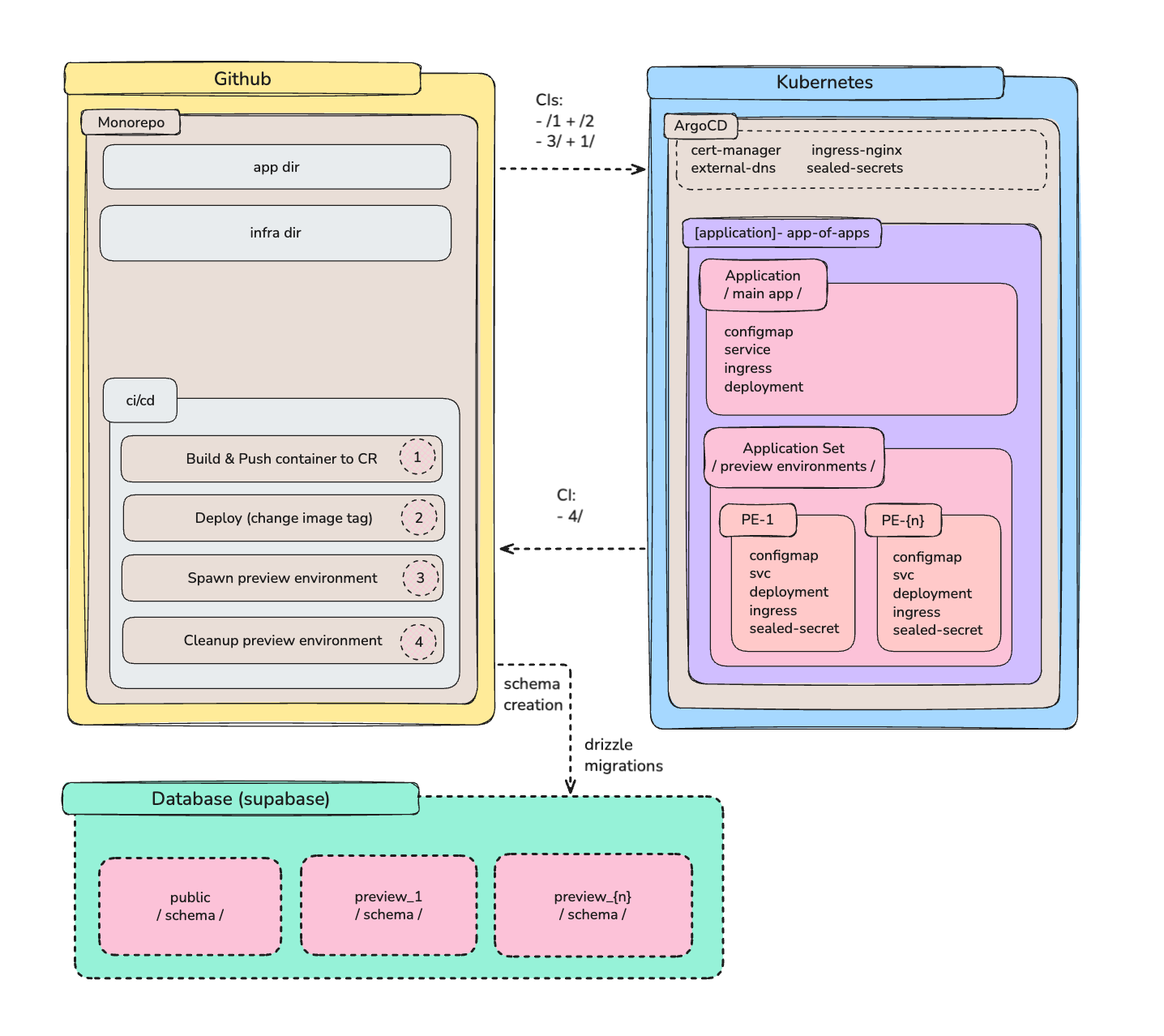
We have the following components:
Github: Application code, GitOps declarations & CI/CD
Kubernetes: ArgoCD, Ingress Nginx, Cert Manager, External DNS, Sealed Secrets
ArgoCD: A release with the ApplicationSet CRD installed
Supabase: A single project with multiple schemas based on the environment
Here is the directory structure for our project:
clopus-preview-environments/
  ├── .github/workflows/
  │   ├── preview-environment.yml   # PR open → build + migrate
  │   ├── cleanup-preview.yml       # PR close → drop schema
  │   ├── deploy.yml                # main → production
  │   └── build-and-push.yml        # Reusable Docker build
  │
  ├── applications/atomsized/markdown-editor/
  │   ├── src/
  │   │   ├── app/
  │   │   │   └── page.tsx          # Schema-aware queries
  │   │   └── db/
  │   │       ├── index.ts          # Drizzle client
  │   │       └── schema.ts         # Runtime schema resolver
  │   ├── scripts/
  │   │   ├── migrate.ts            # Create schema + migrate
  │   │   └── drop-schema.ts        # Drop schema on cleanup
  │   ├── drizzle/
  │   ├── Dockerfile
  │   └── package.json
  │
  └── infrastructure/applications/atomsized.com/markdown-editor/
      ├── app-of-apps.yml           # Parent Application
      ├── main-app/
      │   ├── application.yml       # Production ArgoCD App
      │   └── src/
      │       ├── deployment.yml
      │       ├── service.yml
      │       ├── ingress.yml
      │       ├── configmap.yml     # DATABASE_SCHEMA=public
      │       └── sealedsecret.yml
      └── preview/
          ├── applicationset.yml    # PR generator + patches
          └── secrets/
              └── sealedsecret.yml
How the system works
As the architecture.png displays, we have three main components: Github, Kubernetes (ArgoCD), and Database (Supabase).
The infrastructure directory in the Github repository includes the following:
Declarations for the main app (production app): standard k8s stuff
Declarations for the preview environments
There is a “single entry” to both of the above dir paths is an app-of-apps file, which in itself contains the ApplicationSet resource.
When I say “entry to a dir path” what I mean is that there is an ArgoCD application using this “entry” as its single source of truth to pull and compare changes, to understand if the state of what is deployed on the cluster is in sync with what is expected. This is the very core of what GitOps is.
The app-of-apps pattern is an ArgoCD technique to logically group & manage multiple applications under one application, while the main “app of apps” is, too, part of itself. It manages itself. This method later becomes “outdated” with the release of ApplicationSets, although in my personal opinion, app-of-apps is better due to its declarative nature i.e. it is easier to read.
The ApplicationSet resource is responsible for the creation of preview environments, triggered from a pull request. The syntax responsible for this functionality is on LNs 6:15 in the file applicationset.yml:
spec:
  generators:
    - pullRequest:
        github:
          owner: kubeden
          repo: preview-environments
          tokenRef:
            secretName: github-token
            key: token
        requeueAfterSeconds: 30
The applications directory includes the following:
A single directory path applications/atomsized/markdown-editor which is our application code. The root is called application_s_ because this system can be used for multiple applications. In this example, there is a simple markdown editor living on a subdomain markdown.atomsized.com.
The application itself is a simple NextJS application (frontend & backend) + DrizzleORM for migrations. It uses Supabase for its database.
To make this simple NextJS+Supabase application “preview-environment”-capable (and to get past Supabase’s two-projects free-limit limitation), I isolate different schemas and wire them to the app. This happens through Drizzle’s pgSchema() functionality. Instead of hardcoding table references, a runtime schema resolver is used when making queries:
// db/schema.ts
  import { pgSchema, pgTable, text, timestamp, uuid } from "drizzle-orm/pg-core";

  const schema = process.env.DATABASE_SCHEMA;

  export const getDocumentsTable = () => {
    const tableDefinition = {
      id: uuid("id").primaryKey().defaultRandom(),
      title: text("title").notNull(),
      content: text("content"),
      createdAt: timestamp("created_at").defaultNow().notNull(),
      updatedAt: timestamp("updated_at").defaultNow().notNull(),
    };

    // Preview environments use isolated schemas; production uses public
    return schema && schema !== "public"
      ? pgSchema(schema).table("documents", tableDefinition)
      : pgTable("documents", tableDefinition);
  };
A GitHub workflow runs migration scripts before ArgoCD deploys the pod, which creates the schema & sets the env vars in the new image that is being pushed to the container registry.
This part is written by Claude, to help me understand why this error happened
PgBouncer connection pool safety: Since Supabase uses PgBouncer in transaction mode, we must reset search_path before closing connections—otherwise the pooled connection “remembers” the preview schema and contaminates subsequent requests to the main app:
// In migrate.ts and drop-schema.ts
  await client`SET search_path TO public`;
  await client.end();
Those gimmicks are specific to Supabase & Drizzle. You would have to consciously think about what your app functional blocks are if you decide to include a preview environments setup to your platform. It could be as simple as an SQLITE3 dump + pvc, or it could be an Azure or AWS DB, where you would probably use an official resource management operator.
Three flows
There are three main flows: (1) Merge to main, (2) PR Created, and (3) PR Closed
On (1) Marge to main, the flow looks like this:
Branch merged into main
CI named Build and Push is triggered: it builds a container image & pushes it to the container registry
A CI named Deploy to Production is triggered: image tag for the production app is updated in the respective production app manifest & committed into main
After that, since ArgoCD is set to auto-sync, it detects the drift and sync the application automatically :)
On (2) PR Created, the flow looks like this:
PR opened
CI named Preview Environment is triggered: it builds a container image with commit SHA as the tag, pushes it to a container registry, and runs migrate.ts which creates a schema in our Supabase db that has the following suffix: preview_{PR_NUMBER}. Then the Drizzle migrations are executed to create tables
ArgoCD’s ApplicationSet detects the new PR via the Pull Request Generator and creates a new application which contains: A new Kubernetes namespace with all the resources the main app also has, with one more additional, which is of type Sealed Secret and is responsible for setting the DB secrets.
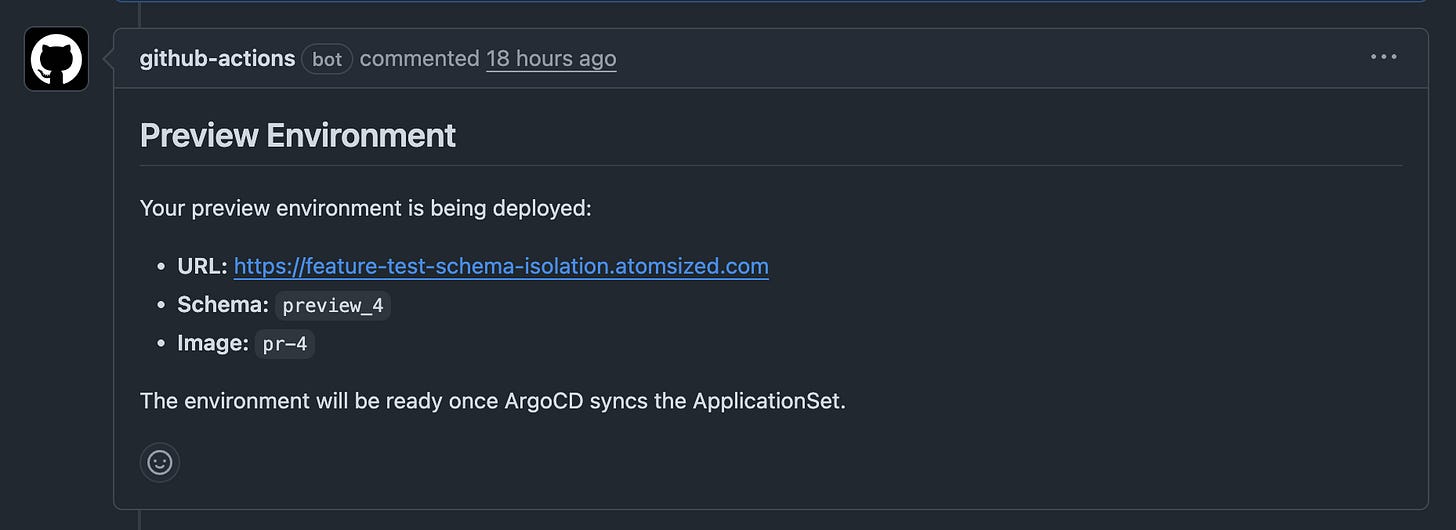
A Github bot confirms the environment has been created by adding a comment containing the URL, schema, and image.
New environment becomes available on: [subdomain].[main-domain].com
And here is the flow for (3) PR Closed:
PR closed or merged
CI named Cleanup Preview is triggered: The drop-schema.ts script is executed which deletes the PostgreSQL schema and all of its tables. search_path is reset to public before closing the connection (PgBouncer safety)
The ApplicationSet detects the PR is no longer open, which deletes all of the resources that it contained.
Preview environment is fully cleaned up
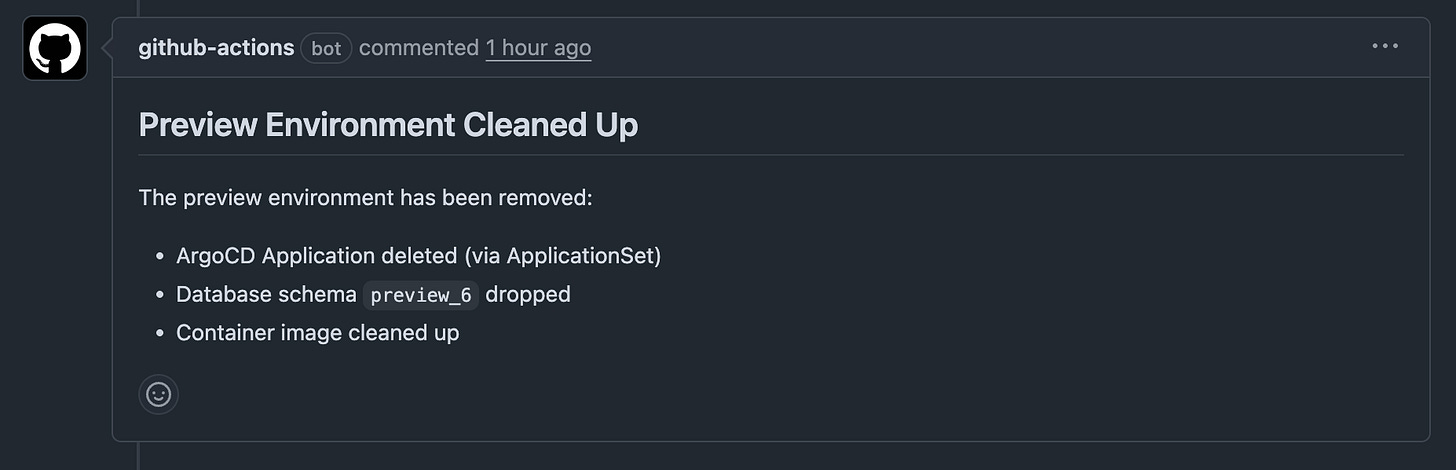
A Github bot adds a comment confirming the cleanup.
And with this, the practical part is complete!
Personal thoughts & reflections
Last month, I experimented a little with Claude Code. I created an autonomous “forever-loop” called clopus (read here), and an MVP automating the entire process of being an SRE, called clopus-watcher (read here). While those activities were fun and honestly fascinating, I came up with an even greater idea: to create a fully functional v0 / Lovable / replit, allowing me to build a complete web application only with natural language through Github. I started brainstorming on how to achieve this and I came up with the base architecture. This post here is the first step to making it all into reality.
When I started with this project, I called it “clopus-preview”. However, shortly after, I realized there is nothing inherently connected to Claude Code or whatnot. It’s all just traditional GitOps techniques. Going further with this project, however, I realize just how powerful it is combining “new technology” with “old technology”. I feel like there is very little agreement in the community that “the old world” can work, and even enhance “the new world” — not the other way around.
Me personally? I have always been a hacker. What I lack for deep understanding, I compensate with an indomitable capacity to hit my head against a wall until it breaks. And I eventually manage to break the wall, there is always another wall being revealed behind it. Which is exactly what I love about technology so much!
Thank you for reading :)
— Denis