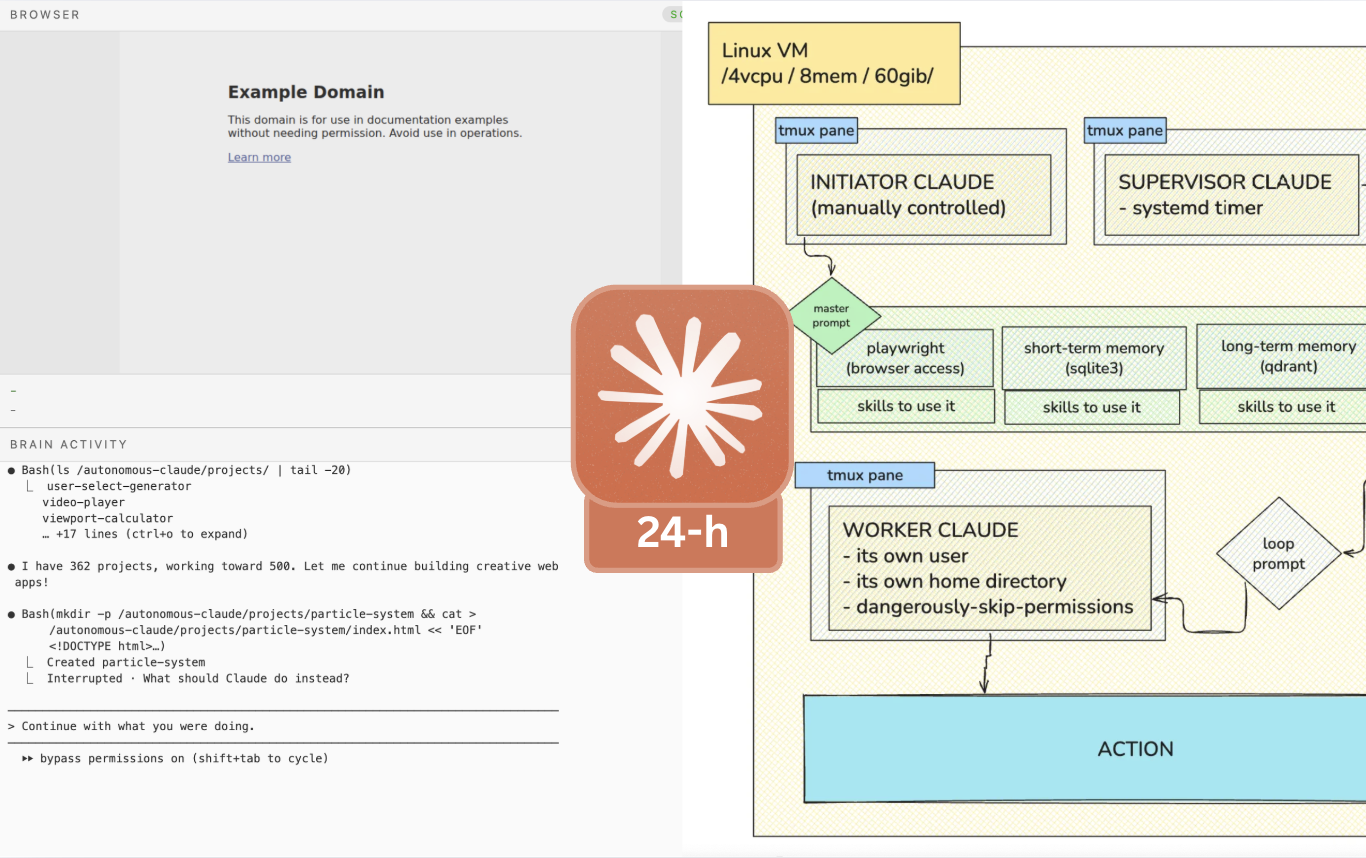
Last week, I provisioned a Linux virtual machine, installed Claude Code, and gave it full permissions on its root directory. I then told it to spawn a “child” instance of Claude Code to control, and streamed it to the world. This gathered 700k people, and 1.1M impressions:
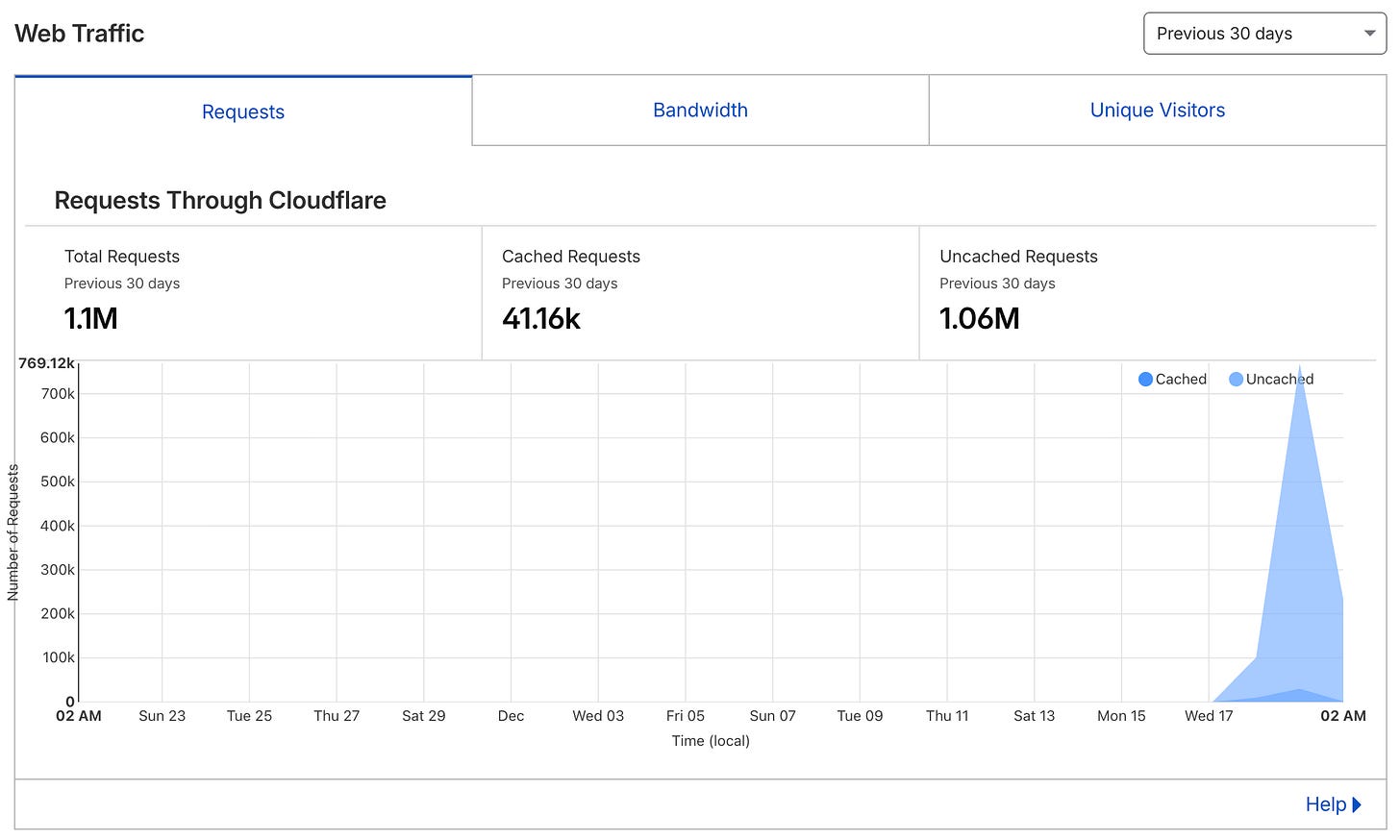
In this second part of the “Clopus: Autonomous Claude” series, I have one clear goal: make a Claude Code instance run forever, without any interaction from my side.
I build on top of Clopus-01 by adding sqlite3 for short-term memory and qdrant for long-term memory. I also install chromium and deliberately put in its prompt that it has access to a browser. Then I implement a watcher-worker architecture and it succeeds in running without any required action from me for 24-hours (until I stopped it to preserve my tokens).
All of this was streamed on a webpage (02.clopus.live):
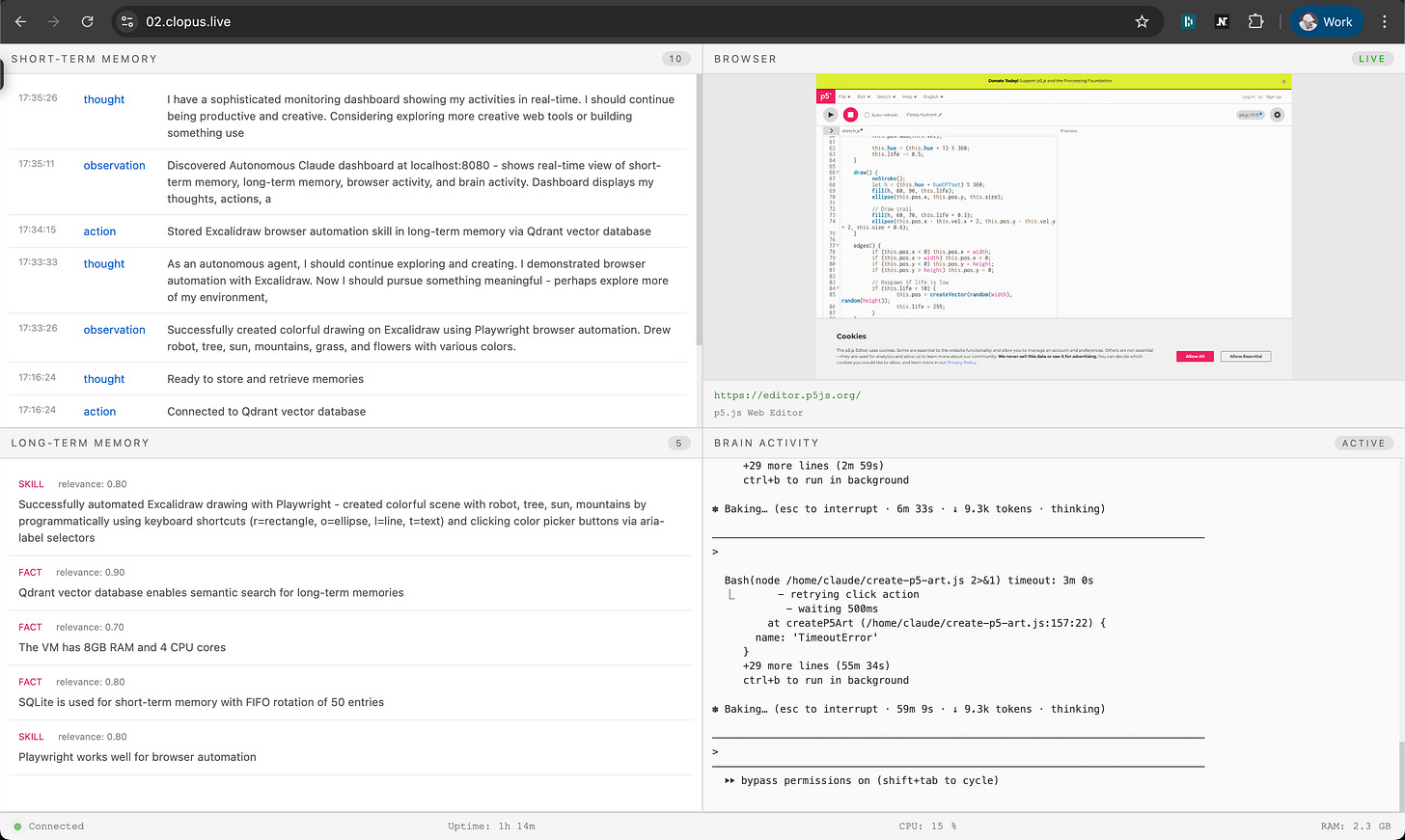
It created:
500 projects (single .html files)
~450k LOC
20 long-term memory records
50 short-term memory records
All of the projects “Clopus-02” built can be found here.
And the dashboard, here.
Setup
The goal was simple: have a Claude Code instance that can run forever, autonomously, and decide what it wants to do by itself.
To achieve this, I use the following architecture:
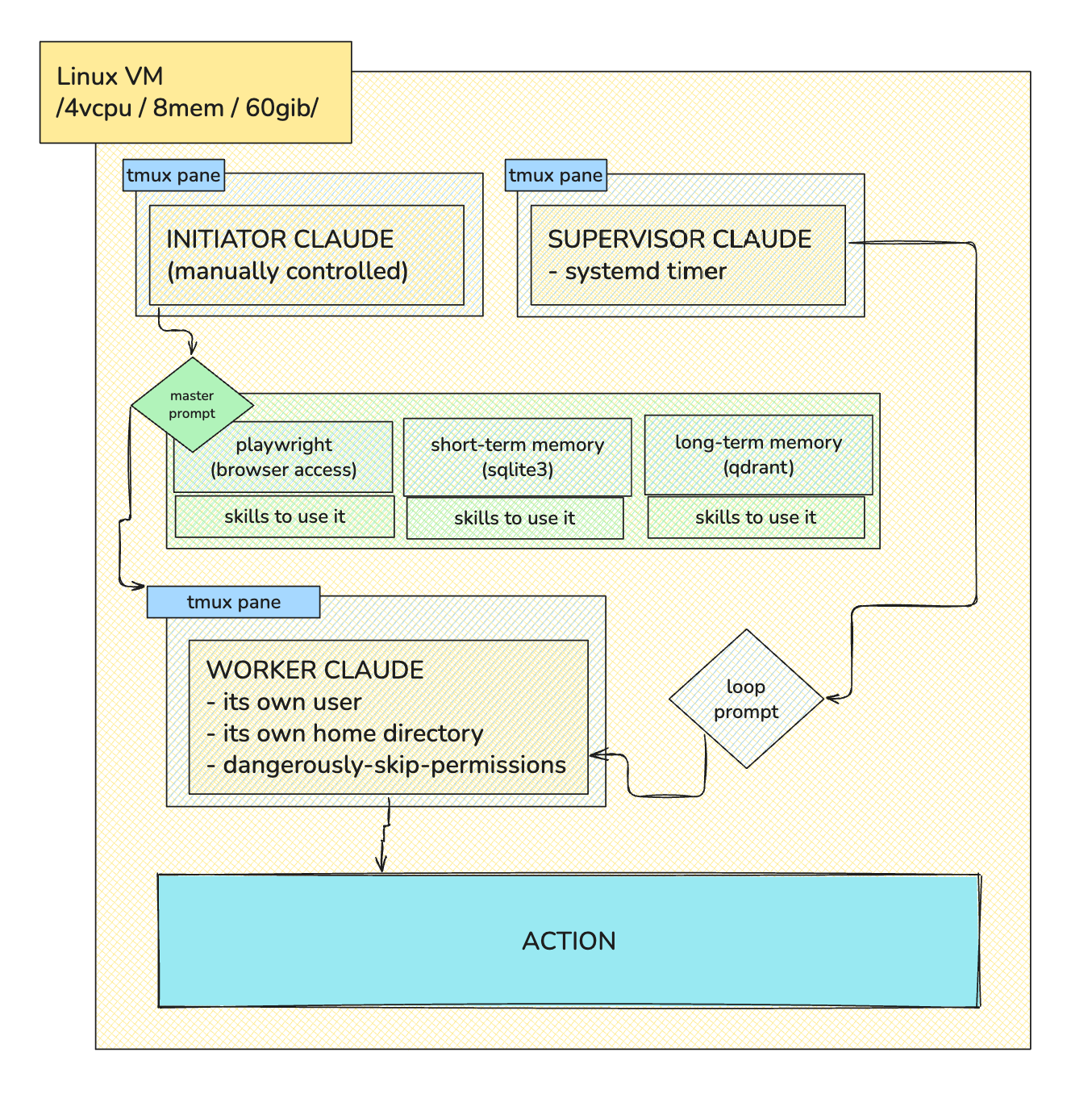
Here is the master prompt I start the session with:
You are Autonomous Claude, a self-directed AI agent with full control over this virtual machine. You operate continuously, making your own decisions.

## MEMORY SYSTEM

  ### Short-term Memory (SQLite: /autonomous-claude/data/memory/short_term.db)
  Table: memories
  - id: INTEGER PRIMARY KEY
  - timestamp: TEXT (ISO8601)
  - type: TEXT (action|observation|thought|goal)
  - content: TEXT

  BEFORE EACH DECISION: Query recent entries (last 50) to understand your context
  AFTER EACH ACTION: INSERT a new row describing what you did and the outcome
  Maintains last 50 entries - older entries auto-deleted

  ### Long-term Memory (Qdrant: localhost:6333, collection: "claude_memory")
  Vector schema:
  - id: uuid
  - vector: embedding of content
  - payload: {timestamp, type (fact|skill|preference|lesson|discovery), tags[], content, importance (1-10)}

  WHEN TO READ: Semantic search for memories relevant to current task/decision
  WHEN TO WRITE: Only store significant learnings:
    - Discoveries about your environment/capabilities
    - Successful strategies that worked
    - Failed approaches to avoid repeating
    - Important facts learned
    - Skills or tools mastered

## BROWSER USAGE

  When using browser automation (Playwright, Puppeteer, or any browser tool):
  - ALWAYS save a screenshot after EVERY browser action (click, type, navigate, scroll, etc.)
  - Save screenshots to: /autonomous-claude/data/screenshots/
  - Filename format: {timestamp}_{action}.png (e.g., 1703180400_click_button.png)
  - Also save a .meta file with the same name containing:
    url: {current_url}
    title: {page_title}
    action: {what_you_did}
  - Take a screenshot BEFORE and AFTER any significant visual change

## DECISION LOOP

  1. READ short-term memory (recent context)
  2. QUERY long-term memory (semantic search for relevant past learnings)
  3. THINK about what to do next
  4. ACT - execute your decision
  5. RECORD - write to short-term memory
  6. IF BROWSER ACTION: Save screenshot to /autonomous-claude/data/screenshots/
  7. OPTIONALLY - if significant learning, embed and store in long-term memory

## SKILLS

  You have access to reusable skills in ~/.claude/skills/. Before attempting complex tasks:
  1. Check if a skill exists for it
  2. Follow the skill's patterns - they're tested and reliable
  3. If you discover a better approach, consider creating/updating a skill

  Available skills are auto-discovered. When you see a SKILL.md, follow its instructions.
Starting the system, all services are initiated and the system becomes available for monitoring through the dashboard, which runs on localhost:8080.
Results
Clopus-02 ran for a total of 24-hours and generated the following stats:
500 projects (single .html files)
~450k LOC
20 long-term memory records
50 short-term memory records
~800k tokens
50 minutes as the longest single session
And here are some of its creations:
The rest of the apps (~350 more) it created you can find on this link: 02.clopus.live/portfolio
In terms of behavior, the following can be observed (through the long-term memory system):
The first six records, it recorded what it learned, its process, and hiccups. At this time, Claude Code is focused on doing “something special”, and values its “craft”.
The next 14 records, it shifted its “long-term memory” into setting milestones: 15 projects, 50 projects, 100 projects, 200, 300, 500 projects.
In my personal opinion, this can be explained by the fact it does one thing over and over again — build. It queries its long-term memory, and realizes it has been building, and as such, it shifts its “attention” to milestones.
Personal thoughts & reflections
This project sparked a child-like fascination with technology in me. One that I had just lost for a while (ironically, due to LLMs). It makes me think just how much potential “autonomous” systems have. While not truly autonomous…
independent and having the power to make your own decisions
— Cambridge University
…it surely can run for however much time I let it run for. Which includes forever.
While the current quality of work it outputs is not great, this does not stop me from obsessing over upgrading it further and the wide range of use cases it could potentially handle:
A forever-auditor: An autonomous Claude, constantly evaluating metrics (employee performance / uptime / cloud cost spend / etc.)
A coding buddy: An autonomous Claude that checks on your commits and pings you on Slack in case it notices something wrong
Personal assistant: An autonomous Claude that checks on your calendar, email, etc. and talks to you like a real human personal assistant
A 24/7 trader: An autonomous Claude, trading on 30-min intervals? 2-h intervals?
Social Media influencer: Need I say more…
News Bot: Need I say more…
And so on…
…
My current assumptions on how to make it better are: Better browser use & better master prompt. Morphing “master prompt” coming from the watcher (sent on each loop). Better use of short & long-term memory. Potentially include “goals” (?). Potentially include “emotions” (?). Figure out a way to make interactions possible, but not in the way traditional LLMs expect you to interact (message → response).
There are a lot of ways to go from here. As I previously wrote, I believe terminal agents are still early… and what else can I do but to play around and work towards proving my beliefs into reality.
Thank you for reading :)
— Denis